


Why Teachers Are Using AI to Create Engaging Kids’ Story Videos
Teachers are increasingly turning to AI to create story videos for kids because it saves time, enhances learning, and makes content creation more accessible. Traditional video production can be extremely time-consuming, but AI streamlines many of these tasks, allowing educators to focus on teaching.
1. Save Time and Reduce Workload
Automation of Content Creation:
-
AI tools can generate scripts, storyboards, and full videos from a simple text prompt, eliminating hours spent writing, drawing, and editing.
Efficiency and Speed:
-
Tasks that once took a week can now be completed in minutes or hours, freeing teachers to focus on lesson planning, grading, or one-on-one student support.
2. Enhance Engagement and Personalization
Visually Rich Content:
-
AI produces videos with colorful animations, dynamic characters, and engaging music, keeping children focused and making learning more enjoyable.
Personalized Learning:
-
Teachers can customize stories to match students’ reading levels, interests, or learning objectives. AI allows for tailored characters, themes, and vocabulary that reinforce lessons effectively.
Accessibility:
-
Features like auto-captioning, translations, and voiceovers make story videos accessible to students with hearing, vision, or language challenges.
3. Foster Creativity and Critical Thinking
New Storytelling Mediums:
-
AI opens up creative ways to present lessons. For example, a history topic can become an animated adventure following a character through key events, making the material more relatable and memorable.
Support Diverse Learning Styles:
-
Videos combine visual, auditory, and kinesthetic learning. Interactive features, like quizzes or discussion prompts, encourage active participation and critical thinking.
4. Overcome Production Barriers
No Special Skills Required:
-
Teachers don’t need to be animators, video editors, or scriptwriters. AI platforms often have intuitive interfaces for creating professional-looking videos with minimal effort.
Cost-Effective Production:
-
Traditional video production can be expensive, requiring software, equipment, or professional services. AI makes it affordable for schools and individual educators.
Important Note:
AI is a tool to augment, not replace, teachers. Educators remain in control—reviewing and refining AI-generated content to ensure it’s accurate, age-appropriate, and aligned with educational goals. The human touch—context, empathy, and guidance—is essential for meaningful learning.
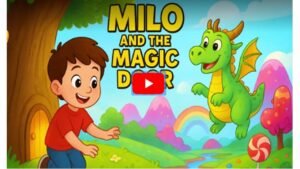
How Tutors Can Create Educational Kids’ Videos Using AI
AI tools make it easier than ever to produce high-quality, engaging educational videos for children. Even without technical or editing skills, tutors can create videos that are visually appealing, interactive, and tailored to their students. Here’s a step-by-step guide:
Step 1: Plan and Script Your Video
Before diving into visuals or audio, a solid plan is essential.
-
Define Your Learning Objective: Decide what your students should learn. Is it a math concept, a science topic, or a social lesson?
-
Identify Your Audience: Tailor your tone and content to the age group (e.g., preschoolers vs. elementary students).
-
Use AI for Scripting:
-
Tools: ChatGPT, Google Gemini, or Storywizard.ai.
-
Example Prompt: “Write a 3-minute educational video script for 5-year-olds about the water cycle. Include a friendly character named ‘Droplet’ and simple rhymes or songs.”
-
-
Review and Refine: Make sure the language is age-appropriate, the flow is logical, and the content is accurate.
Step 2: Create Visuals and Assets
Engaging visuals are key to capturing children’s attention.
-
Generate AI Images:
-
Tools: Midjourney, DALL-E, Canva Text-to-Image.
-
Prompt Example: “A smiling raindrop with big blue eyes floating in a fluffy cloud, in a colorful 3D animated style.”
-
-
Maintain Consistency: Use a consistent style across all scenes.
-
Create Animated Characters/Avatars:
-
Tools: Synthesia, HeyGen.
-
Pick avatars that fit your theme—friendly animals or approachable human characters.
-
Step 3: Generate Voiceovers and Audio
Sound is crucial for engagement.
-
AI Voiceovers:
-
Tools: ElevenLabs, Murf.ai.
-
Paste your script, choose a friendly or child-like voice, and adjust speed and tone.
-
-
Music and Sound Effects:
-
Use AI music generators for background tracks.
-
Many video tools include built-in sound effect libraries (e.g., raindrops, wind swooshes).
-
Step 4: Assemble Your Video with an AI Editor
Combine all the elements seamlessly.
-
AI Video Makers:
-
Tools: Invideo AI, Steve.AI. Paste your script, and the AI automatically generates visuals, voiceovers, and music.
-
-
Manual Assembly (if needed):
-
Import images, audio, and music into a video editor. Arrange scenes to match your script.
-
Add transitions, captions, or effects for a polished finish.
-
-
Review and Edit: Use text-based AI editing features to adjust timing, visuals, or narration without starting over.
Step 5: Share and Distribute
Once your video is ready, make it accessible to your students.
-
Upload to platforms like YouTube, Google Classroom, or your tutoring website.
-
Enhance interactivity by adding AI-generated quizzes or discussion prompts alongside the video.
By following these steps, tutors can create captivating, educational videos that combine storytelling, visuals, and audio—all with minimal effort. AI empowers educators to make learning fun, memorable, and personalized for every child.
Ready to Create Viral Kids Story Videos in Minutes?
Don’t wait! With KidsTale AI, you can turn any idea into engaging, multilingual kids story videos — no tech skills, no editing, and zero monthly costs.
🎨 Generate Cocomelon-style videos, fairy tales, bedtime stories, and rhymes with AI voices, music, and animations in just a few clicks.
💰 Sell your videos on YouTube, TikTok, Instagram, Etsy, Fiverr, or start your own kids content channel.Grab KidsTale AI today for a one-time payment and start creating viral kids story videos that entertain, educate, and earn!
Affordable AI Platforms for Creating Kids’ Story Videos
AI tools are revolutionizing how educators, tutors, and parents create story videos for children. These platforms automate animation, voiceovers, and video assembly, allowing anyone to produce engaging, professional-quality content without technical expertise or a big budget.
Here are some of the best affordable AI platforms for creating educational kids’ story videos:
1. Canva
What it is: A graphic design platform with powerful AI tools integrated into its “Magic Studio.”
Key Features for Educators:
-
Canva for Education: Free for verified K-12 educators. Includes a massive library of templates, images, and fonts.
-
Text-to-Video: Paste your script, and Canva generates a video with matching visuals.
-
AI Avatars: Add talking avatars (via HeyGen integration) to narrate your story.
-
Ease of Use: Drag-and-drop interface, perfect for beginners.
2. Steve.AI
What it is: AI-powered video maker designed to turn scripts into animated or live-action videos.
Key Features for Educators:
-
Script-to-Video: Paste your story, and the AI automatically generates scenes, characters, backgrounds, and voiceover.
-
Pre-designed Assets: Thousands of props and characters suitable for educational content.
-
Affordability: Budget-friendly plans for individual educators.
3. Synthesia
What it is: A platform for creating videos with AI avatars, often used for professional training.
Key Features for Educators:
-
AI Avatars and Voices: Diverse avatars and voiceovers in 140+ languages.
-
Quick Updates: Edit the script, and the AI updates the video instantly—no re-shoot required.
-
Free Trial: Test before committing to a paid plan.
4. Pictory
What it is: AI video generator that converts long-form content into short, engaging videos.
Key Features for Educators:
-
Text-to-Video Conversion: Perfect for turning stories or lesson plans into video content.
-
Auto-Summarization: Condenses long stories into short, easy-to-digest videos.
-
User-Friendly Interface: Ideal for educators with little to no video experience.
5. Krikey AI
What it is: Animation tool for creating 3D avatars and animations from text prompts.
Key Features for Educators:
-
Text-to-Animation: Type an action, and the AI generates the corresponding 3D animation.
-
Talking Avatars: Bring characters to life by making them speak your script.
-
Canva Integration: Easily combine 3D animations with other visual elements.
Choosing the Right Platform
-
Budget: Start with free tiers or trials. Paid plans are usually monthly or annual subscriptions.
-
Complexity: For a simple text-to-video workflow, choose Steve.AI or Pictory. For more control over characters and visuals, Canva + Krikey AI works well.
-
Specific Needs: Decide whether you want narrated videos (Synthesia) or animated stories (Steve.AI, Krikey AI).
By leveraging these affordable AI platforms, educators can save time, reduce costs, and create professional-quality story videos that captivate and educate young learners.
Ready to Create Viral Kids Story Videos in Minutes?
Don’t wait! With KidsTale AI, you can turn any idea into engaging, multilingual kids story videos — no tech skills, no editing, and zero monthly costs.
🎨 Generate Cocomelon-style videos, fairy tales, bedtime stories, and rhymes with AI voices, music, and animations in just a few clicks.
💰 Sell your videos on YouTube, TikTok, Instagram, Etsy, Fiverr, or start your own kids content channel.Grab KidsTale AI today for a one-time payment and start creating viral kids story videos that entertain, educate, and earn!
YOU MAY ALSO LIKE:
How to Create Kids Story Videos with AI: Beginner’s Guide for Parents & Educators
Cocomelon-Style Videos on a Budget: Best AI Tools for Kids Content
Multilingual Kids Story Videos: Reach More Audiences Using AI Tools
Step-by-Step: Making Rhyming Kids Videos in Minutes Using AI
Top 5 Low-Cost Platforms to Make Kids Story Videos Without Editing Skills
Earn $50–$500 Selling Animated Stories: AI Tools for Kids Video Creators
AI Story Video Ideas That Go Viral: Fairy Tales, Superheroes & More
Zero Tech Skills? No Problem — AI for Creating Child-Friendly Animated Videos
From Concept to Upload: Launching Your Kids’ YouTube Channel with AI