
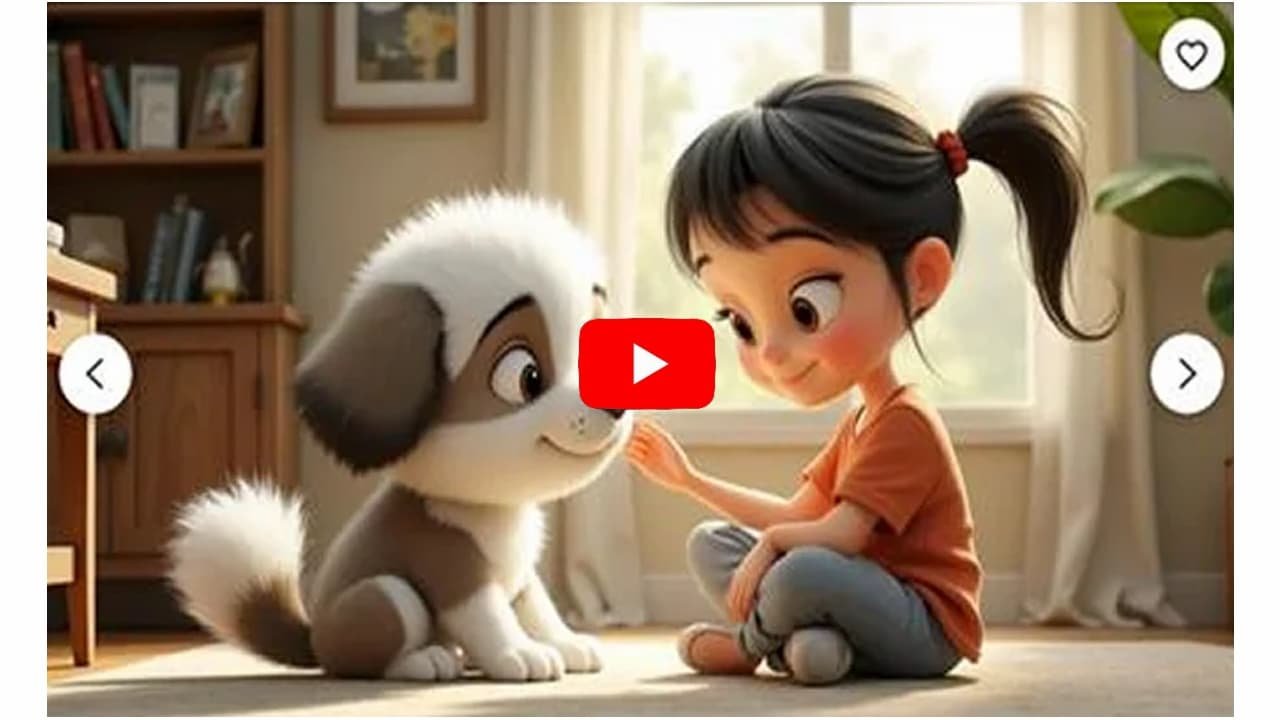

Kids’ Story Video Ideas That Can Go Viral
Creating viral kids’ content isn’t just about high-quality animation—it’s about crafting stories that captivate a child’s imagination while appealing to parents who control what gets watched and shared.
Here are five creative video concepts designed to maximize engagement and shareability:
1. “Sneaky Educational” Adventures
Concept: Embed learning seamlessly into entertaining narratives. Make lessons feel like part of the adventure, not a lecture.
Example Idea: An animated series about a curious little robot traveling to different planets to learn numbers, shapes, or the solar system. Each episode introduces a new planet and a new lesson.
Why It Can Go Viral: Parents actively seek content that entertains and educates. When children enjoy the story and learn something new, parents are more likely to share it with friends, boosting organic reach.
2. Interactive “Choose Your Own Adventure” Stories
Concept: Let viewers make decisions that influence the story, increasing engagement and replay value.
Example Idea: A child explores a magical forest. At key moments, the video pauses and offers choices like: “Should Timmy follow the blue butterfly or the red squirrel?” Each choice leads to a different video outcome.
Why It Can Go Viral: Multiple endings encourage kids to rewatch and explore all story paths. Higher watch time and repeat views signal to platforms like YouTube that your content is highly engaging.
3. Animated Nursery Rhymes with a Modern Twist
Concept: Take classic nursery rhymes and give them fresh, visually captivating animation.
Example Idea: “Twinkle, Twinkle, Little Star” becomes an epic adventure. The little star explores the night sky, meets other stars, and discovers constellations.
Why It Can Go Viral: Nursery rhymes are evergreen content. Parents searching for updated, high-quality animations will share videos that make learning fun and visually stunning.
4. Character-Driven Series with Moral Lessons
Concept: Create lovable, consistent characters that children can follow over multiple episodes. Include small lessons in each story.
Example Idea: A little bear named Barnaby who learns life lessons—sharing honey, helping new friends, or being kind to animals in the forest.
Why It Can Go Viral: Strong, relatable characters build long-term loyalty. Parents trust consistent content that reinforces positive behavior, and children become emotionally attached, increasing repeat views.
5. “Behind the Scenes” of a Fictional World
Concept: Show kids how a magical or fantastical world works, satisfying curiosity and encouraging imaginative thinking.
Example Idea: A story about a toy factory run by magical elves. Follow one toy from creation to final delivery, showing enchanted assembly lines and whimsical packaging.
Why It Can Go Viral: Kids love seeing how things are made, especially in a magical context. Unique, curiosity-driven stories are highly shareable because they feel special and one-of-a-kind.
Pro Tip for Viral Success:
-
Short, Engaging Episodes: 2–5 minutes is ideal for young attention spans.
-
Bright, High-Contrast Visuals: Kids are drawn to vibrant colors and cute character designs.
-
Memorable Music & Sounds: Catchy background music, sound effects, and simple songs enhance retention.
-
Parent-Friendly Messaging: Make sure parents see value in sharing your content. Educational or moral lessons increase shareability.
Using AI to Create Kids’ Story Videos: Fairy Tales, Superheroes, and Fun Rhymes
Artificial intelligence has made it faster and easier than ever to produce high-quality kids’ videos. Whether you want magical fairy tales, action-packed superhero stories, or catchy rhymes, AI handles the heavy lifting—from scripting to visuals to voiceovers.
Here’s how to leverage AI for each type of kids’ content:
1. Fairy Tales
Fairy tales thrive on whimsy, magical characters, and enchanting settings—perfect for AI-driven storytelling.
Step 1: Scriptwriting
-
Use AI tools like ChatGPT or Google Gemini.
-
Prompt example:
“Write a short fairy tale about a brave little mouse who befriends a dragon and helps him find his lost fire.”
-
AI generates a complete story with a clear beginning, middle, and end.
Step 2: Visuals
-
Tools like Steve AI or Invideo AI can transform your script into animated videos.
-
For custom illustrations, use Midjourney or DALL-E with prompts like:
“A watercolor illustration of a princess in a magical garden.”
Step 3: Voice-over
-
Use the built-in text-to-speech in video generators.
-
Select soft, soothing voices to emulate a classic storyteller—ideal for bedtime stories.
2. Superhero Stories
Superhero stories need high-energy visuals, dynamic characters, and dramatic plots. AI can handle all of these.
Step 1: Story Generation
-
Prompt example:
“Create a short story about a child who gains the power to control lightning and must save their city from a giant robot.”
-
AI provides the hero’s origin, main conflict, and resolution.
Step 2: Visuals
-
Use Revid AI or Steve AI for action-oriented video generation with dynamic movements and effects.
-
For custom characters, generate images with AI prompts:
“A superhero with a red and gold suit, a lightning bolt logo, and a flowing cape.”
Step 3: Editing & Effects
-
Add fast-paced music, sound effects, and text overlays using AI or beginner-friendly editors like Canva or FlexClip.
-
AI can automatically sync voiceovers and music with the action scenes.
3. Fun Rhymes & Educational Songs
Rhymes and songs are highly memorable and perfect for engagement. AI can help write, sing, and animate these videos.
Step 1: Lyric Writing
-
Prompt example:
“Write a short rhyming song about a friendly dog who loves to play. Use a simple AABB rhyme scheme.”
-
AI produces playful, easy-to-sing lyrics.
Step 2: Music & Narration
-
Tools like TopMediai or FlexClip can generate melodies and AI voices to sing your lyrics.
-
Adjust tempo, pitch, and tone to match the mood of the song.
Step 3: Visuals
-
Use simple, repetitive animations for children to follow along.
-
AI video prompts example:
“A cartoon video of a happy cat playing with a red ball.”
-
Combine with AI-generated flashcard visuals for educational reinforcement.
Pro Tips for All Genres:
-
Consistency: Use a consistent visual style for characters and settings to make your content recognizable.
-
Short & Engaging: 2–5 minutes is ideal for young attention spans.
-
Parent-Friendly Value: Include moral lessons, educational points, or catchy songs to make parents more likely to share.
-
Leverage Free Tiers: Tools like ChatGPT, Canva, and DALL-E have free tiers for testing before investing in paid plans.
Ready to Create Viral Kids Story Videos in Minutes?
Don’t wait! With KidsTale AI, you can turn any idea into engaging, multilingual kids story videos — no tech skills, no editing, and zero monthly costs.
🎨 Generate Cocomelon-style videos, fairy tales, bedtime stories, and rhymes with AI voices, music, and animations in just a few clicks.
💰 Sell your videos on YouTube, TikTok, Instagram, Etsy, Fiverr, or start your own kids content channel.Grab KidsTale AI today for a one-time payment and start creating viral kids story videos that entertain, educate, and earn!
Turning Simple Ideas into Viral Kids’ Videos with AI
Creating viral kids’ videos isn’t just about fun visuals—it’s about combining creative storytelling with strategic optimization. AI can help you at every step, from scripting to publishing, even if you have zero experience.
Step 1: Ideation and Scripting (The Hook)
The first few seconds of your video are critical for grabbing attention. A strong hook can dramatically improve watch time and sharing potential.
Tips for Ideation:
-
Pick a Simple Concept: Use universal themes like colors, numbers, animals, daily routines, or feelings. These are relatable and easy for kids to understand.
-
Use AI for Viral Scripts: Prompt ChatGPT or Google Gemini to focus on engagement. Example:
“Write a 30-second kids’ video script about the color blue. The first 3 seconds must have a strong visual hook and include a rhyming song.”
-
Keep it Short and Snappy: Short scripts perform best on platforms like YouTube Shorts, TikTok, or Instagram Reels.
Step 2: Content Creation (The Magic)
AI handles the heavy lifting, turning your script into a polished, kid-friendly video.
Visuals:
-
Use Invideo AI or Steve AI to convert your script into animated video.
-
Guide the style with prompts like:
“A cartoon video with joyful, whimsical animation and bright, colorful backgrounds.”
Voiceover:
-
Use built-in text-to-speech tools.
-
Pick a friendly, expressive voice. Some platforms even offer voices that sound like children.
Music & Sound Effects:
-
Add upbeat, royalty-free tracks from your AI tool’s library.
-
Sprinkle in fun sound effects (e.g., “pop,” “whoosh”) to match actions and maintain engagement.
Step 3: Optimization for Virality
Even a great video can underperform if it isn’t optimized. AI can help you fine-tune it for platforms’ algorithms.
Key Tactics:
-
Loop Effect for Shorts: End your video where it begins to encourage replays. Rewatching boosts your watch-time percentage, a major factor in virality.
-
Fast Pacing & Pattern Interrupts: Keep cuts every 1–3 seconds and include sudden visual or sound changes to maintain attention.
-
AI-Driven SEO: Use tools like VidIQ or TubeBuddy to find trending keywords and topics. Incorporate these into titles, descriptions, and tags for maximum discoverability.
Step 4: Publishing and Promotion
The final step is getting your video seen. AI can help you make your first impression count.
Thumbnails & Titles:
-
Generate bright, high-contrast thumbnails using AI image tools.
-
Use AI to brainstorm titles that are catchy, descriptive, and keyword-rich.
Scheduling & Engagement:
-
Check analytics to post when your audience is most active.
-
Respond to comments from parents and kids to build community and increase engagement signals for the algorithm.
Pro Tips for Maximum Impact:
-
Keep videos 2–5 minutes for young viewers.
-
Repurpose content across multiple platforms—YouTube Shorts, Instagram, TikTok.
-
Maintain a consistent visual style so kids recognize your channel instantly.
-
Track analytics and iterate on successful formats for future videos.
Ready to Create Viral Kids Story Videos in Minutes?
Don’t wait! With KidsTale AI, you can turn any idea into engaging, multilingual kids story videos — no tech skills, no editing, and zero monthly costs.
🎨 Generate Cocomelon-style videos, fairy tales, bedtime stories, and rhymes with AI voices, music, and animations in just a few clicks.
💰 Sell your videos on YouTube, TikTok, Instagram, Etsy, Fiverr, or start your own kids content channel.Grab KidsTale AI today for a one-time payment and start creating viral kids story videos that entertain, educate, and earn!
YOU MAY ALSO LIKE:
How to Create Kids Story Videos with AI: Beginner’s Guide for Parents & Educators
Cocomelon-Style Videos on a Budget: Best AI Tools for Kids Content
Multilingual Kids Story Videos: Reach More Audiences Using AI Tools
Step-by-Step: Making Rhyming Kids Videos in Minutes Using AI
Top 5 Low-Cost Platforms to Make Kids Story Videos Without Editing Skills
How Teachers & Tutors Can Use AI to Produce Story Videos for Kids
Earn $50–$500 Selling Animated Stories: AI Tools for Kids Video Creators
Zero Tech Skills? No Problem — AI for Creating Child-Friendly Animated Videos
From Concept to Upload: Launching Your Kids’ YouTube Channel with AI